The whole harbour.
One system.
Booking and operations for harbours, all in one place.Booking and operations for harbours, all in one place. From berths and the crane to the slipway and winter storage – all the way to sailors finding their own berth.
- A gradual switchWe stay with you until it all works
- Made for harboursJetties, boats and berth holders
- Power via BetallyIntegration with bollards
- AI assistantAsk. Understand. Act.
From the morning round to the last guest sailor.
This is what a day looks like when GoHavn handles what usually takes time in the harbour office.
- 07:00Harbour map
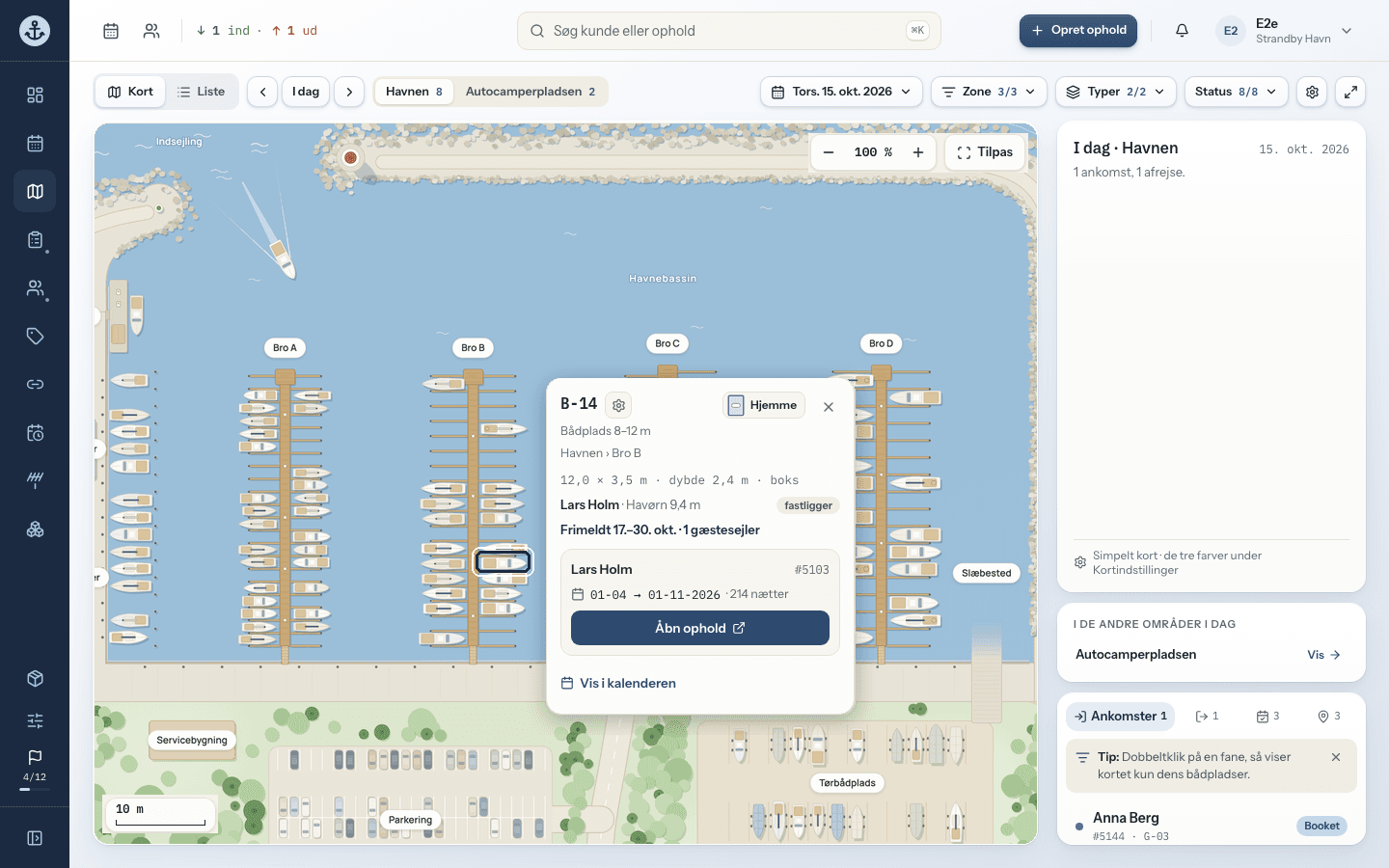
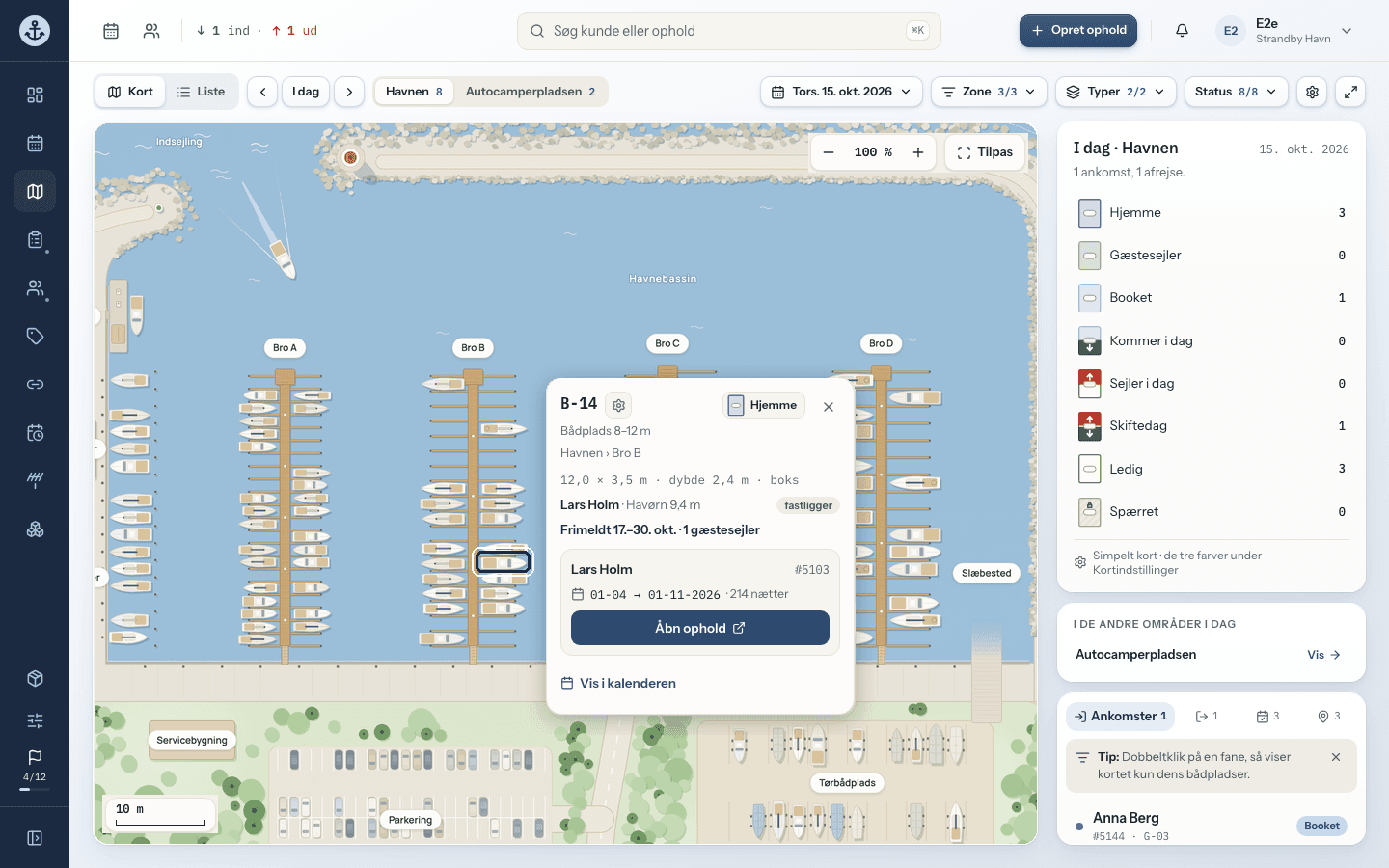
Your own jetties. True to scale.
Click a berth to see the boat, the berth holder and whether the berth is released – right on the map.
- Home, guest, released and free
- Today’s arrivals and departures
- Berth sizes: length, width and depth
- 08:30Calendar
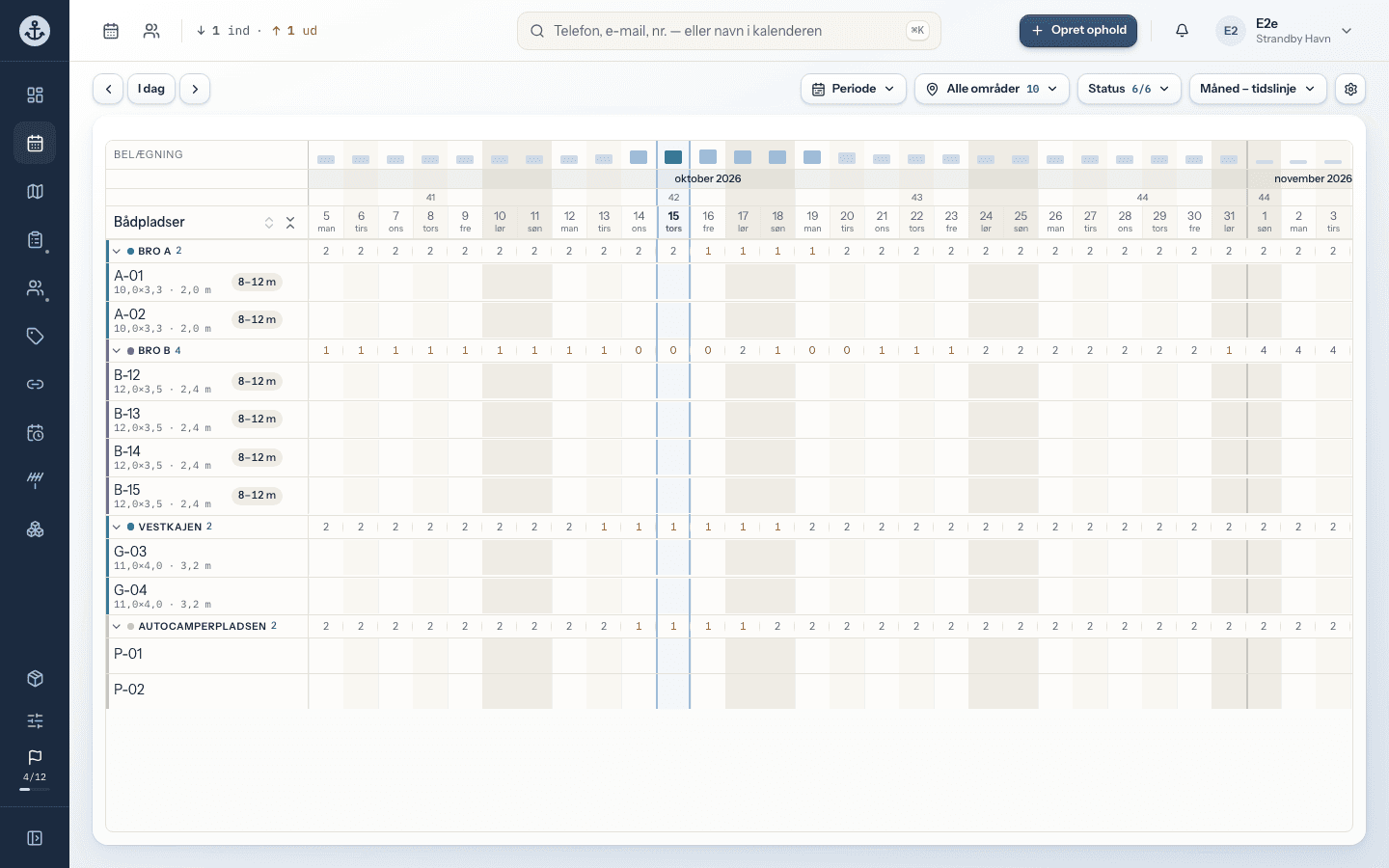
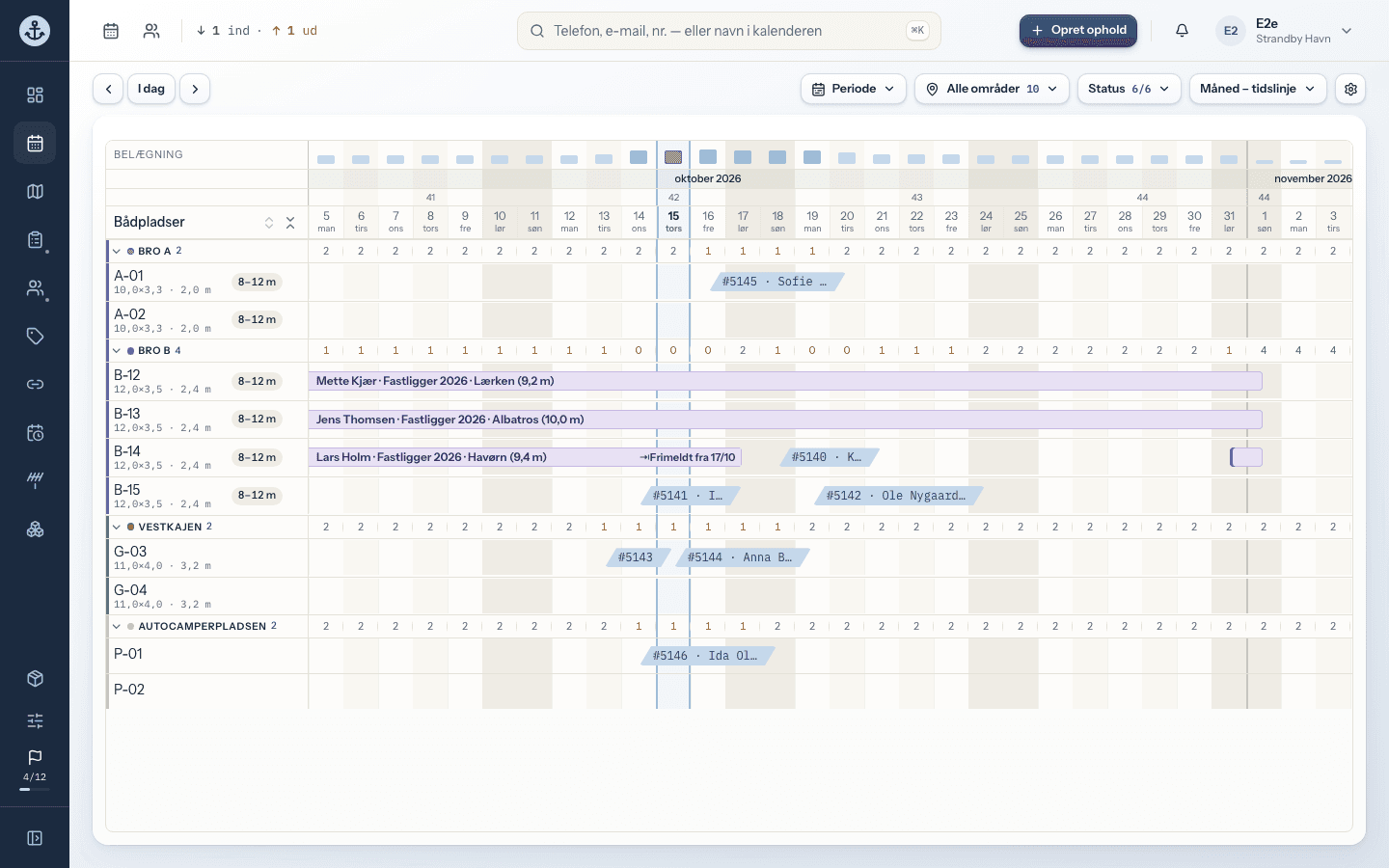
The whole season. One glance.
Every berth, jetty by jetty – berth holders, visiting sailors and released weeks on one timeline.
- Berth holders and guests in their own colours
- Drag a stay to another berth
- Jetty by jetty, with sizes on every berth
- 10:15Booking
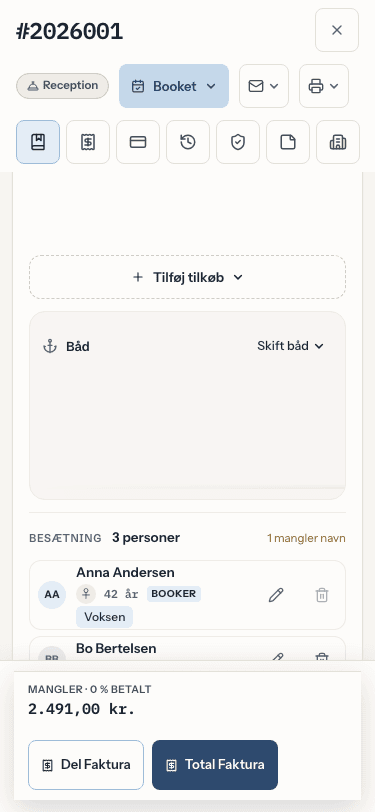
Booked. Registered. Paid.
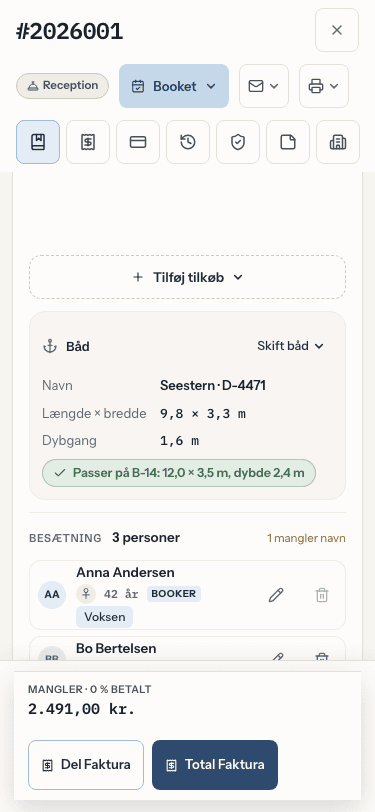
The berth is chosen to fit the boat. The system shows which berths fit – and what is still to be paid.
- Berths by length, beam and draught
- “Fits B-14” – before you press book
- Invoice and payment in the same window
- 12:00Permanent berths
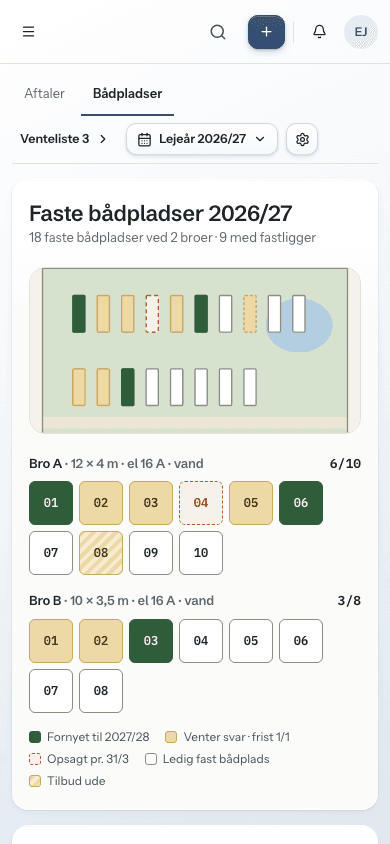
Seasonal contracts and waiting list in one place.
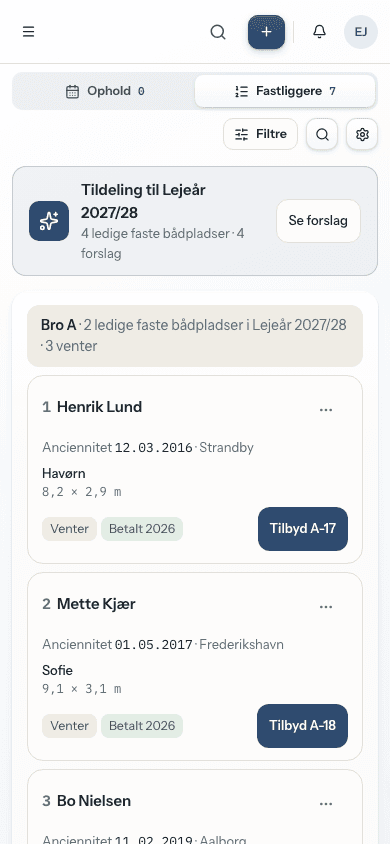
When a permanent berth becomes free, the system makes an allocation by seniority – and only to boats that fit.
- Waiting list by seniority
- Offers with one tap
- Berth holders release their berth themselves – guests can use it
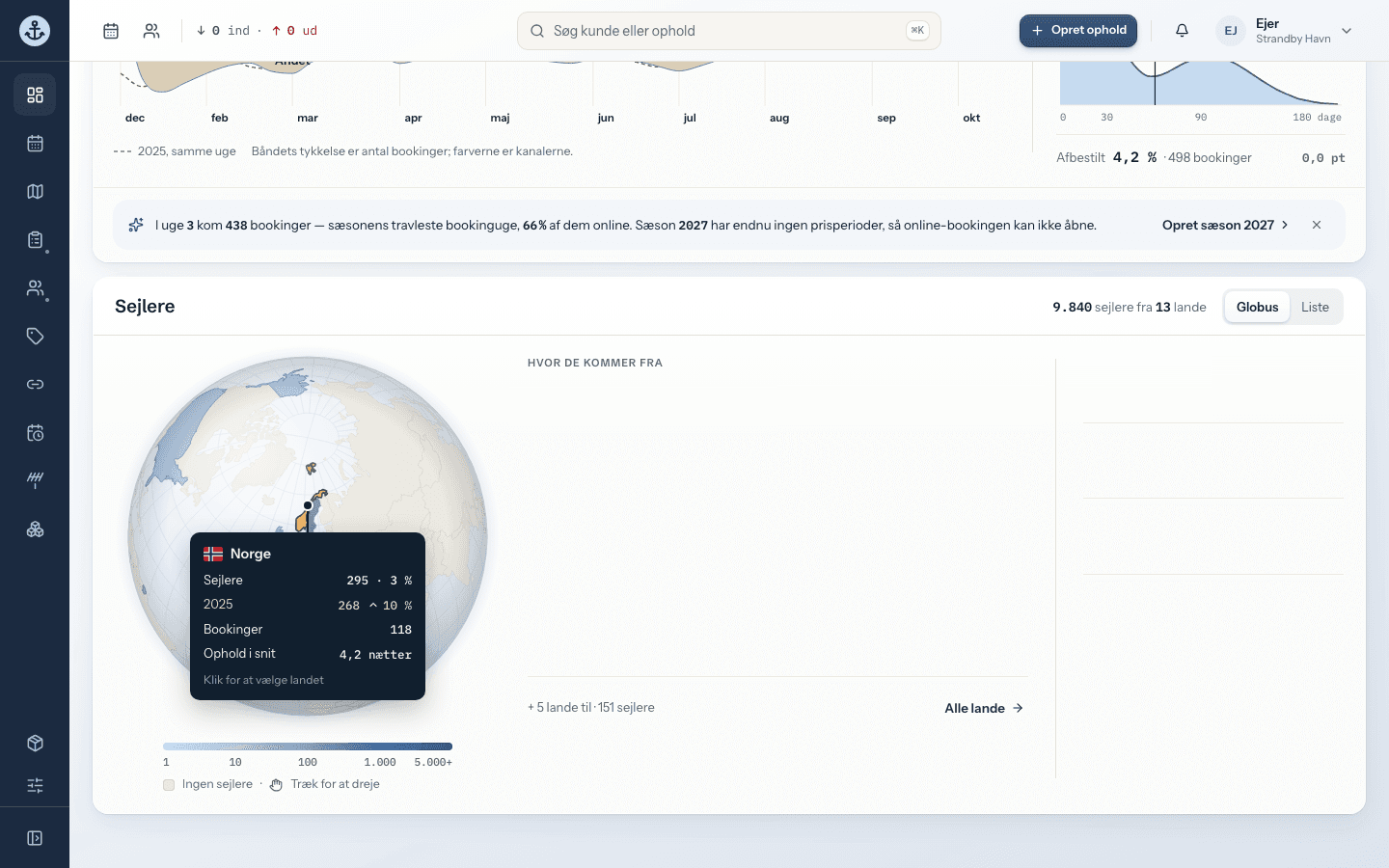
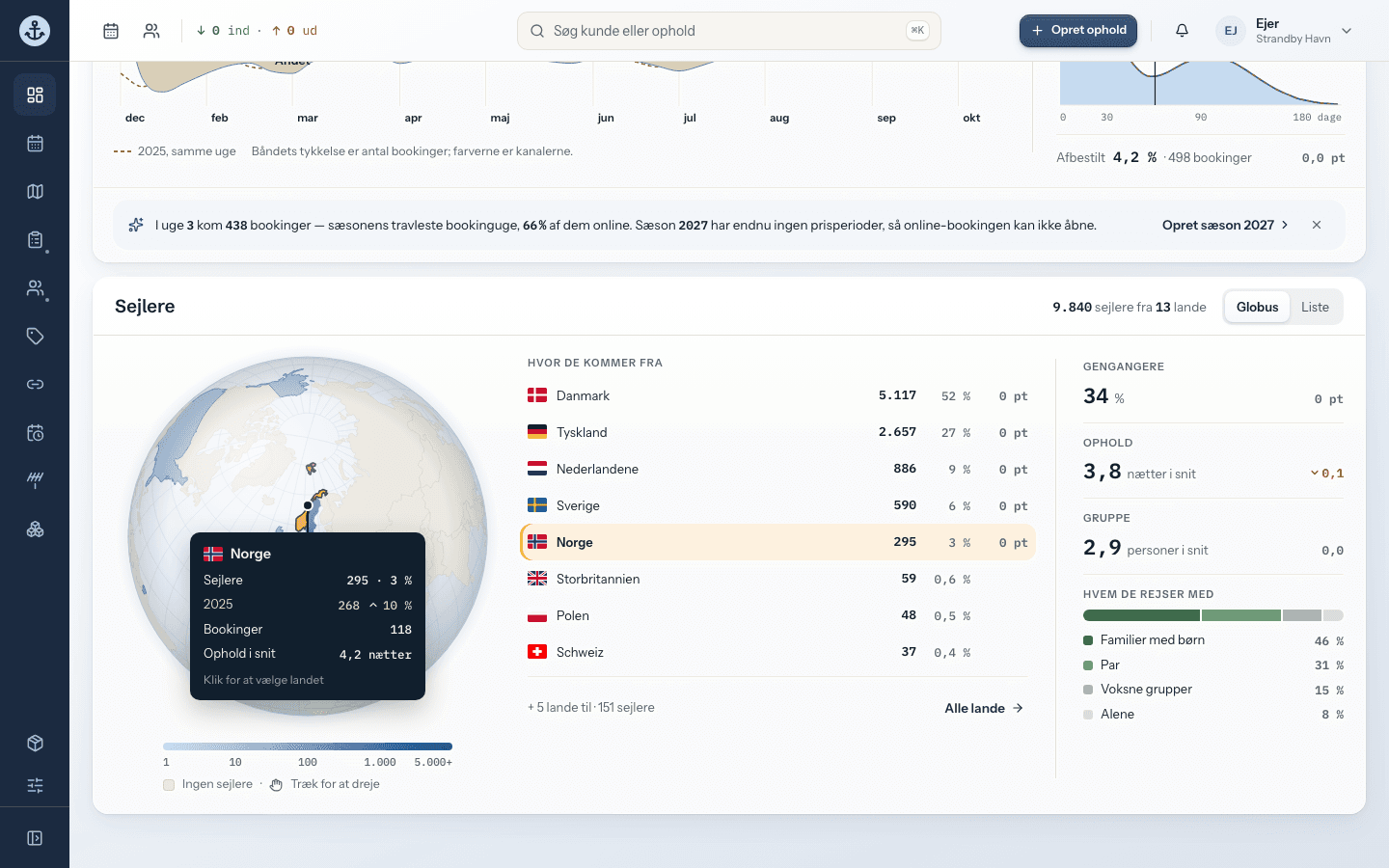
- 14:30Sailors
All your guests. From all over the world.
See where sailors come from, who comes back, and write to them in their own language.
- Countries and returning guests
- Boats and company customers together
- Foreign guest register ready
- 17:00Overview
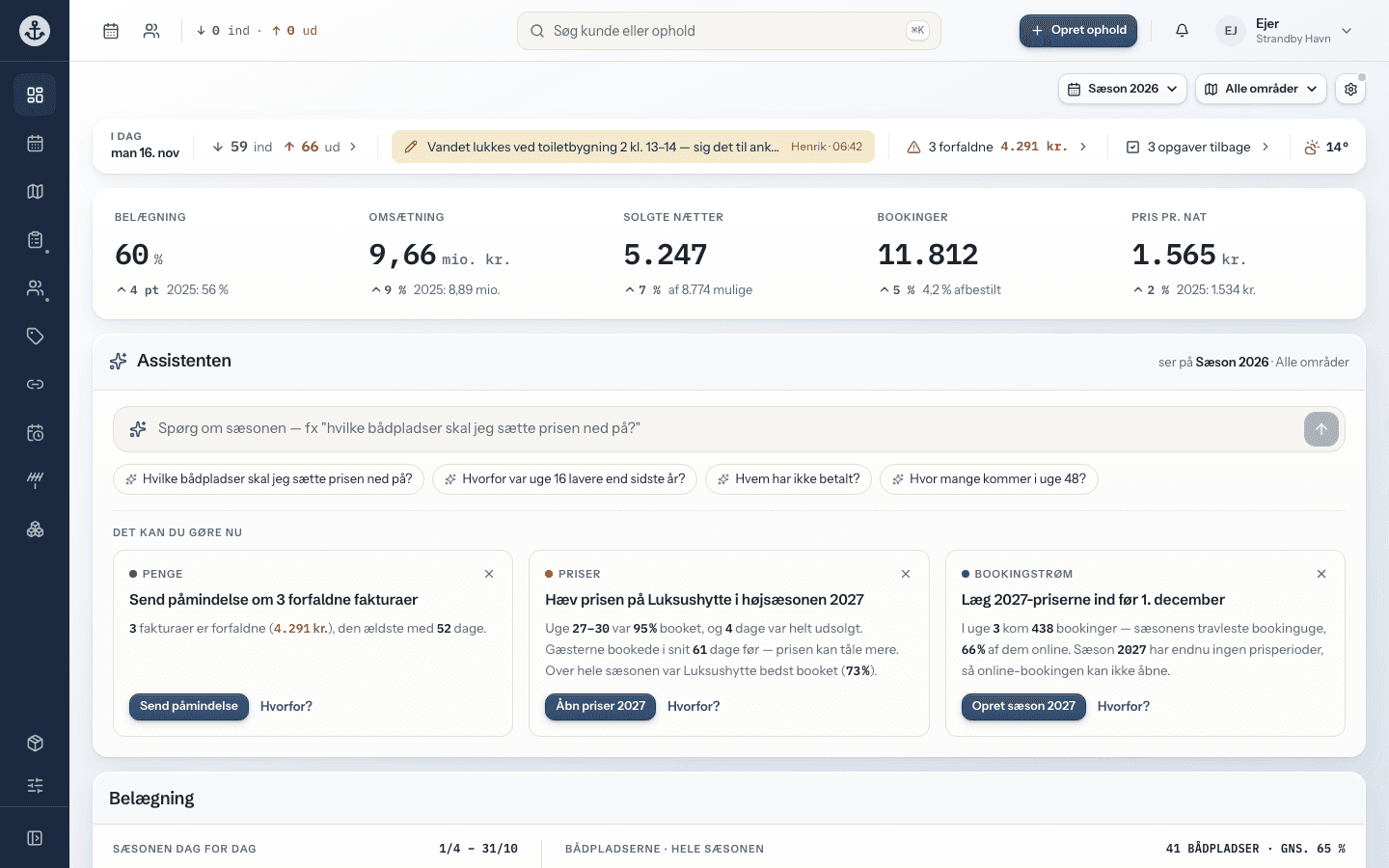
This season against last year.
Occupancy, revenue and bookings – always compared with the same day last year.
- Five numbers for the season
- Occupancy day by day
- When and where sailors book
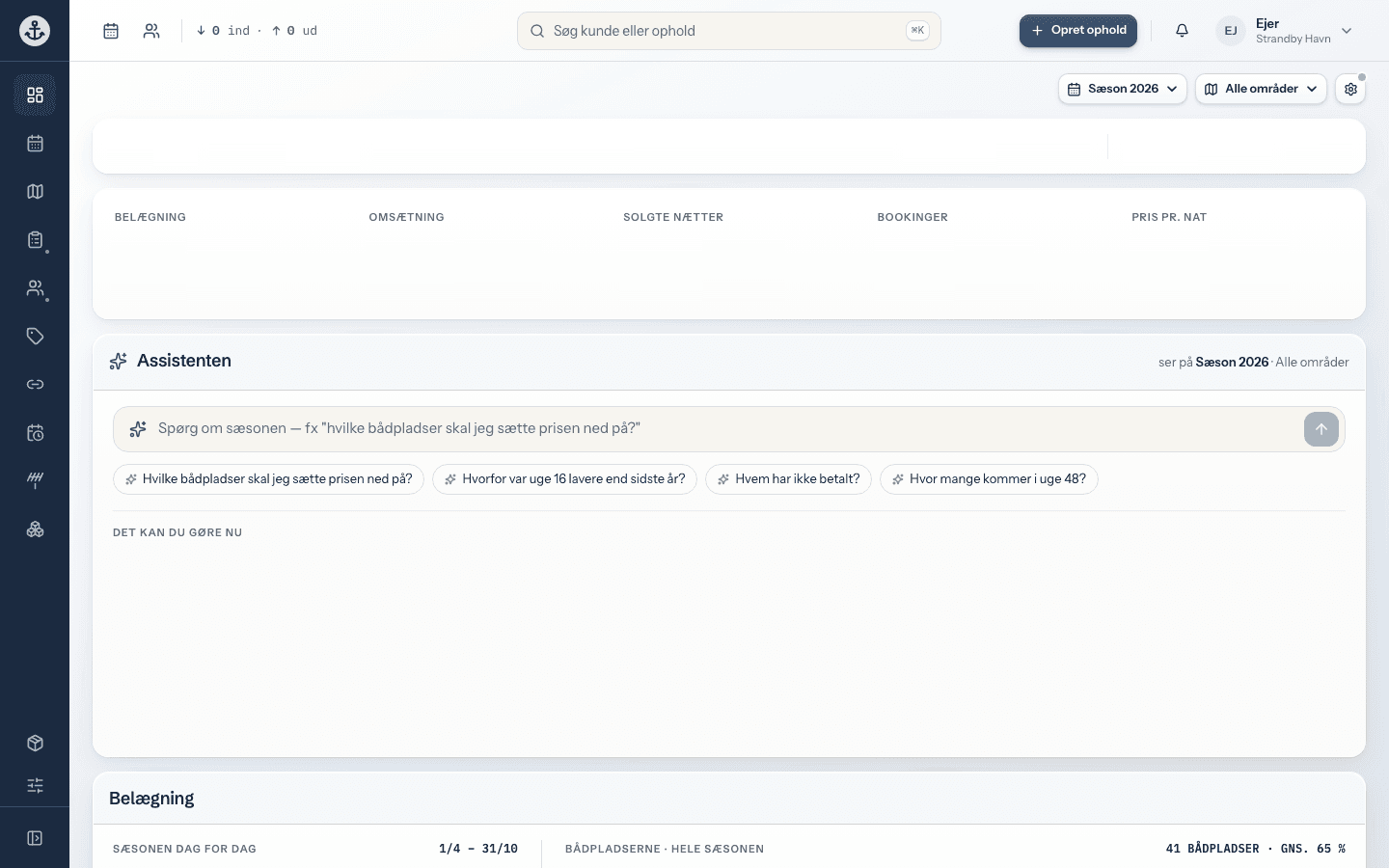
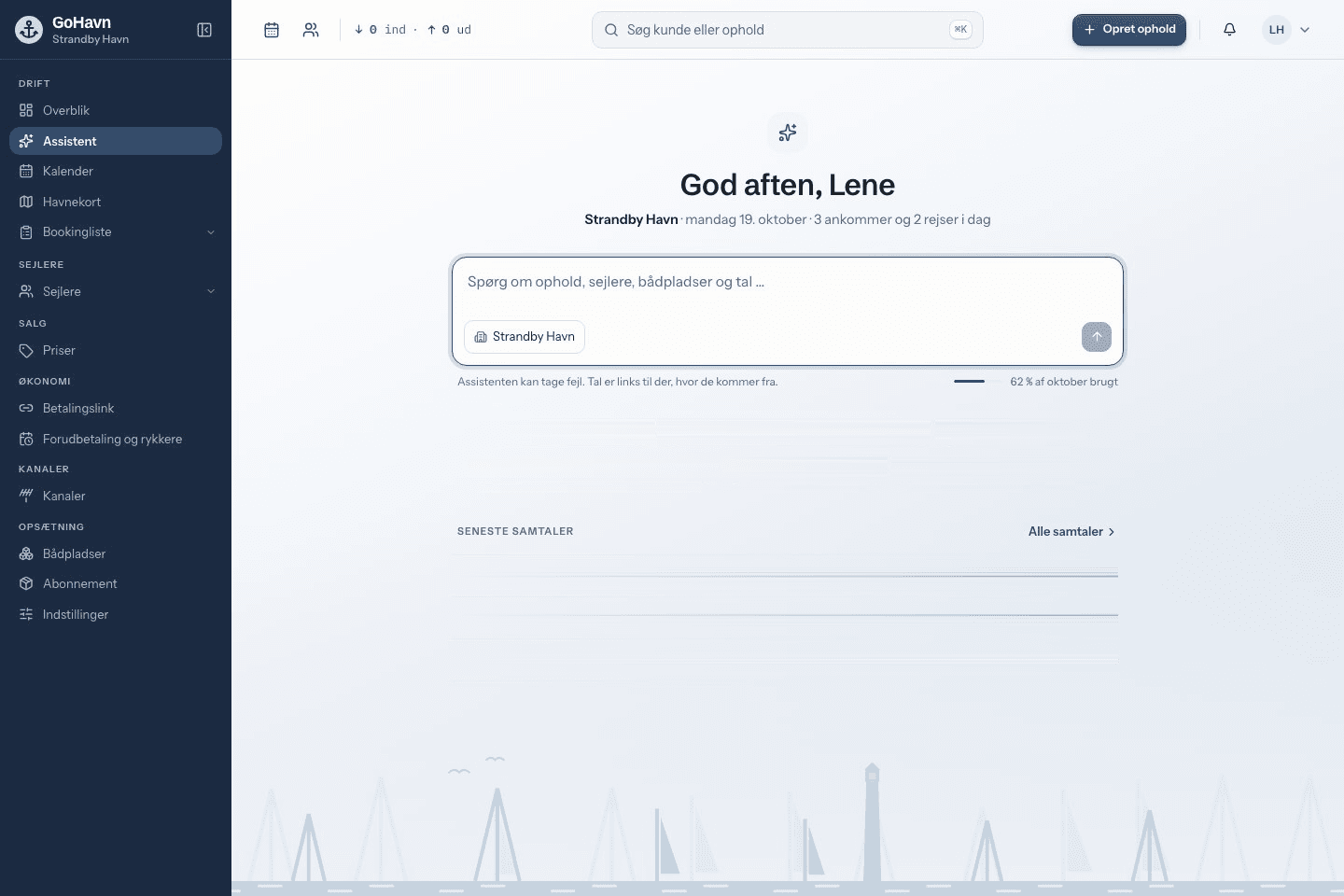
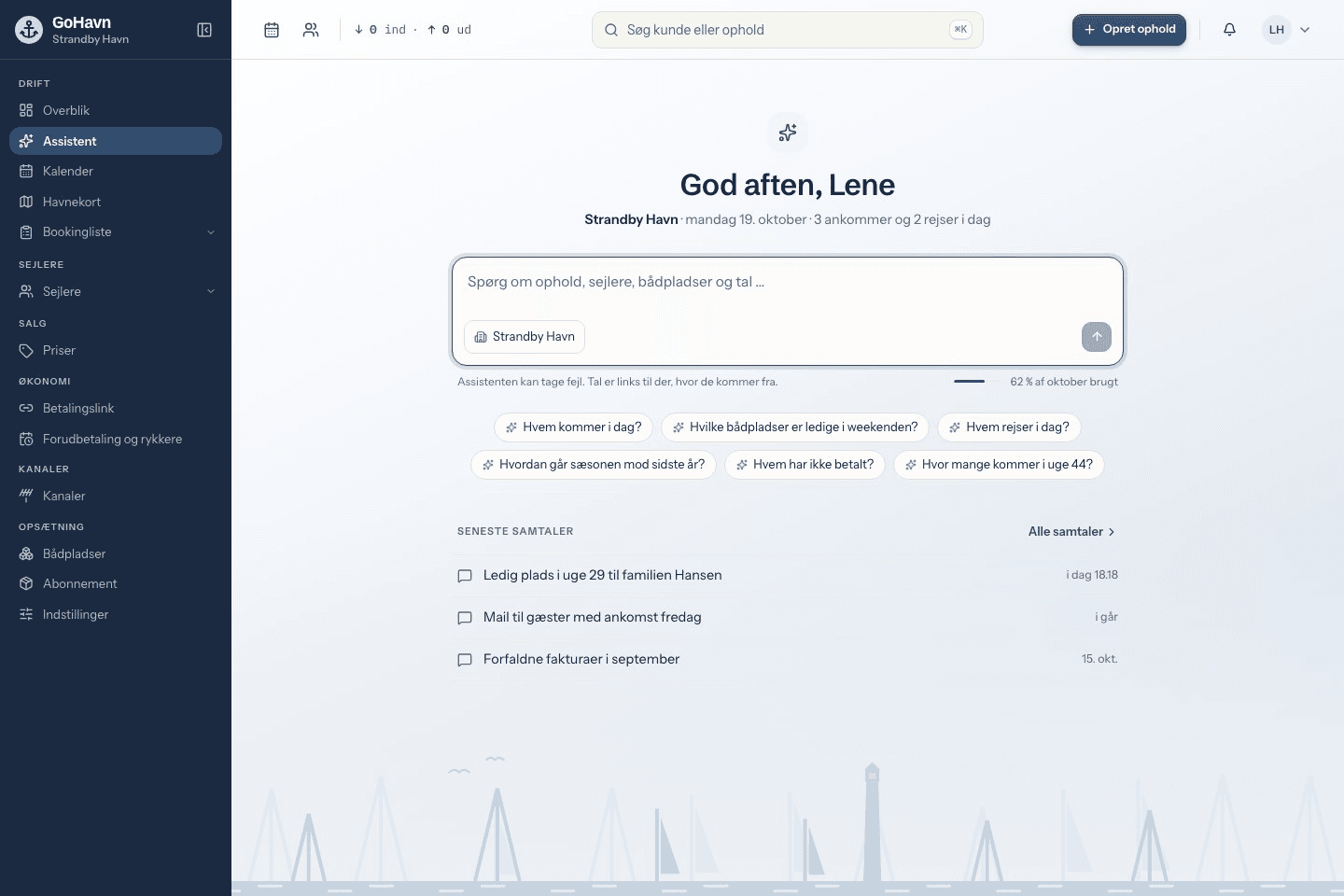
- 21:00AI assistant
Ask. Understand. Act.
Ask about the season the way you would ask a colleague – for example which berths should have their price lowered.
- Answers based on your own numbers
- Suggestions you can say yes to
- Always looks at the season you have chosen
Harbour operations
- 05
Crane booking
Lift-out and launch. Booked in minutes.
- 06
Slipway
Pay on your phone. No queue at the machine.
- 07
Winter storage
Every boat on land. Every spot on the map.
- 08
Power & water
Usage per berth, straight onto the bill.
BetallyIntegration - 10
Wayfinding
Sailors find their own berth.
We set it up together.
You won’t be stuck doing it on a Sunday evening.
- 01
We have a chat.
30 minutes. We hear how the harbour runs today and show you the system.
- 02
We map your harbour.
Jetties, berths, sizes and prices. You check that it is right.
- 03
A gradual switch.
Start with part of the harbour and bring the rest along when you are ready.
What does it cost?
The price depends on the size of the harbour. After a chat, you get a fixed quote.
Do we have to switch everything at once?
No. We make it a gradual switch: you can start with part of the harbour and bring the rest along when you are ready. We stay with you until it all works.
How do sailors pay?
Invoices are made in the system, so you can always see what has been paid and what is outstanding. We go through how you take payments today and find the best solution together.
Does it work on a phone?
Yes. The system works on phones, tablets and computers – so you can look up a berth down on the jetty.
Can we keep our bollards?
If you use Betally for power and water, we connect it through our integration so usage lands on the right berth. If you use something else, have a chat with us.
How does the waiting list work?
The waiting list is for permanent berths. When a permanent berth is given up, the system suggests the next person on the list by seniority – and only boats that fit the berth.
Stay up to date
Get news about GoHavn in your inbox – new features, tips for the season and where you can meet us.